|


|

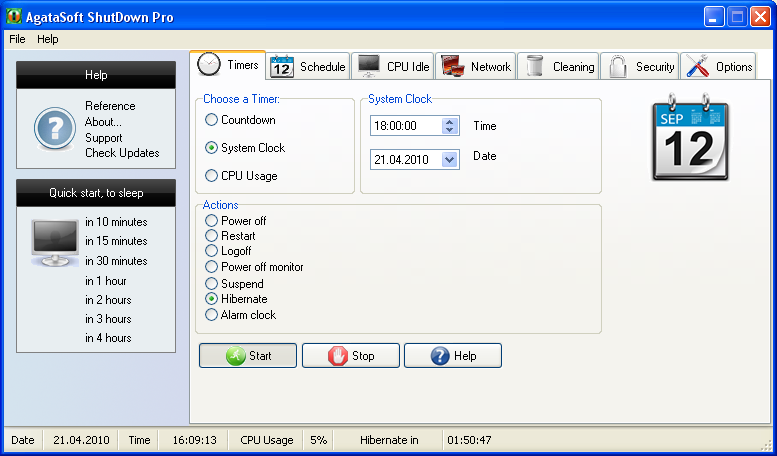
This program is a Powerful Auto Shut Down Timer.
The program can:
Shut Down the computer at a certain time (i.e., at 4:30 pm).
Shut Down the computer in a certain time (i.e., in 3 hours).
Shut Down the computer if the CPU usage is low (i.e., if the CPU usage has been lower than 40% for 5 minutes). Shut Down the computer if the user has been away from the computer for a certain time.
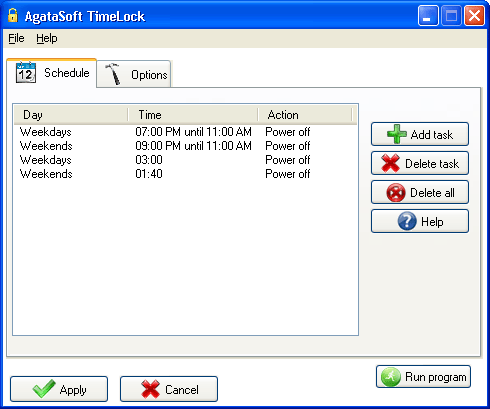
The task scheduler will help you execute the necessary task on a certain day of the week.
(for example, shut down the computer at 6:00 PM from Monday through Friday, and shut down it at 5:00 PM on Saturday).
Hotkeys to help you to quickly shut down or restart the computer.
Before a shut down, you can delete temporary files, clear the Internet Explorer cache, clear the Recycle Bin and delete document access entries.
Network control will help you shut down computers on your local area network. You will be able to shut down either one computer or multiple computers at a time.
|
Key features of AgataSoft Shutdown Pro:
Shut Down the computer at a certain time.
Shut Down the computer in a certain time.
Shut Down the computer in the case of low CPU usage.
Scheduling a Shut Down for a whole week, for each day, for workdays or holidays.
Shut Down the computer if it has been idle for a certain period of time.
Clearing the computer of unnecessary files before shutting it down.
Quick Shut Down of the computer with the help of hotkeys.
Displaying the time left before a computer shuts down or another scheduled action.
Scheduling tasks other than a shut down, such as restart, logoff, standby, hibernation, alarm, showing the specified message.
Title windows monitoring function, when monitoring window title appears to go to computer shutdown, restart or other action.
Monitoring function of window titles - when the selected window appears action is executed, such as shutdown, reboot, etc.
Choosing the sound for the alarm.
Specifying a password to protect the program and its settings.
Shut Down other LAN computers.
Forbidding or permitting shut down LAN computers.
Specifying a password for a network shut down.
Starting a specific program at different times.
Closing a specific program at different times.
Denying the user an Internet connection at certain specified times.
for Windows 2000, Windows 2003, Windows XP, Windows Vista, Windows Seven |